
Introduction
A successful sales process involves much more than preparing a quotation and waiting for a customer to approve it. Sales teams must accommodate customer-specific requests, adjust pricing, communicate the value of an offer, monitor order progress, coordinate delivery, and ensure that all billable work is captured.
For businesses that provide services, sell products, manage projects, or handle a combination of both, these activities can become difficult to coordinate when the sales process involves too many manual steps.
Odoo 20 introduces several improvements to its Sales module designed to make these activities easier to manage. The updates focus on greater flexibility when preparing quotations, clearer customer-facing documents, improved visibility into sales activities, and more straightforward ways to handle additional work and invoicing.
These changes are particularly useful for businesses that regularly prepare customised offers, manage variable pricing, deliver services or need to bill customers for work that goes beyond the original agreement.
In this article, we explore the key Odoo 20 Sales improvements, explain how they work, and examine what they could mean for your business.
Build Quotations Around Real Work
A quotation should reflect the actual products or services a customer wants to purchase. However, not every item included in a quotation needs to be a standard product in the company's catalogue.
This is particularly relevant to businesses that handle one-off projects, specialised services, customised work, or customer-specific requests.
Previously, preparing a quotation for an unusual service or item could involve creating a product record first, even when the business did not intend to sell that item regularly.
Odoo 20 makes this process more flexible by allowing users to add a description and price directly to a quotation line without first creating a product record. That can be useful for one-off services or custom work. It also means a quote can reflect what the customer actually needs without requiring every line to become a permanent item in the product catalog.
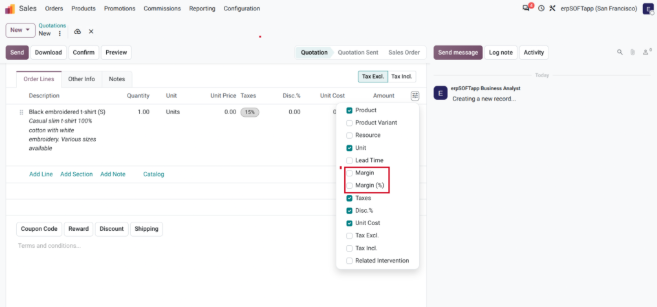
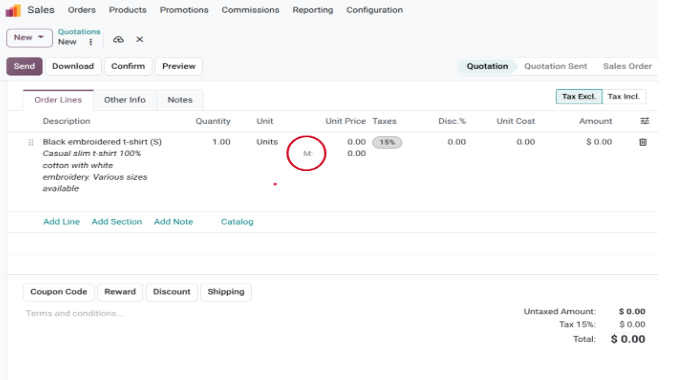
Pricing adjustments are more direct, too. The video shows costs and margins being edited on the sales order, with the unit price updating to reflect the change.
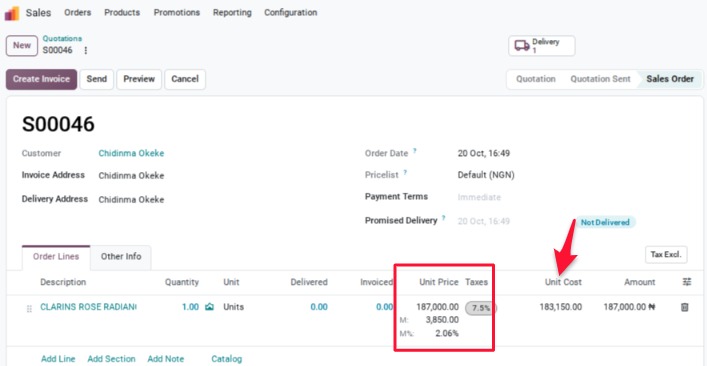
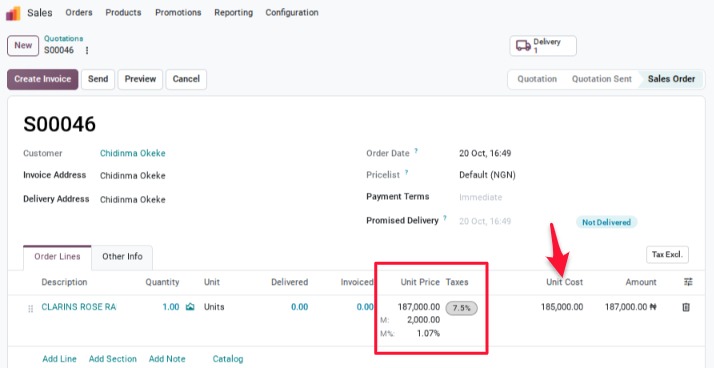
For deposits, users can specify a fixed amount rather than being limited to a percentage. These options give salespeople more room to shape an offer while they are preparing it.
For repeatable work, quotation section templates let users save groups of lines and reuse them on later orders. The video notes that templates can be shared with a particular sales team or made available more broadly. Reusable sections can reduce repeated setup while still leaving room to tailor each quote.
Make the Offer Easier for Customers To Understand
Preparing a quotation is only one part of the sales process. How the quotation is presented can influence how easily a customer understands the offer and makes a purchasing decision.
A quotation should clearly communicate what the customer is paying for, the value being offered, the applicable discounts, and the next steps required to confirm the order.
Odoo 20 introduces improvements to the customer portal and quotation presentation to make this experience clearer.
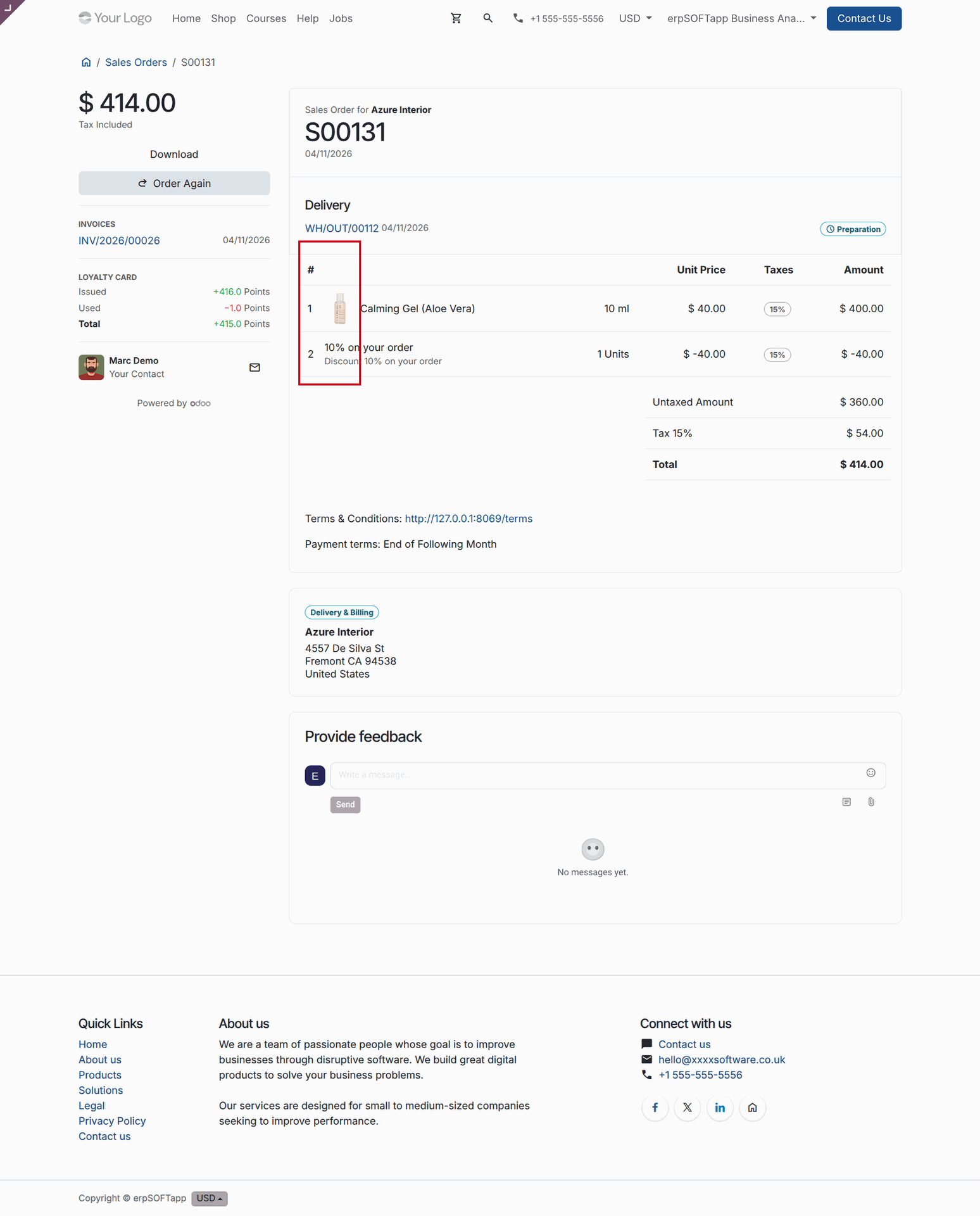
The customer portal receives a redesign in the walkthrough. It includes an “Advantage” section that makes the customer’s total savings from discounts more visible. The video also highlights controls for showing product images and line numbers on both the online quotation and its PDF version.
Together, those changes focus on presentation as well as price. Customers can see what is included, follow the structure of the offer, and understand the savings being presented.
Keep Sales Work Visible After the Quote
As a business grows, managing sales orders individually becomes increasingly difficult.
Sales managers need to know how many orders have been confirmed, how much revenue has been generated, and which orders still require attention.
They also need to identify orders awaiting confirmation, delivery, or invoicing without having to search through multiple records.
Odoo 20 introduces a Sales dashboard that brings important sales information and operational activities into one view.
The video describes reporting on order counts and revenue, alongside quick filters for work that needs confirmation, delivery, or invoicing. Rather than searching through orders one at a time, a team can use the dashboard to spot the next items requiring attention.
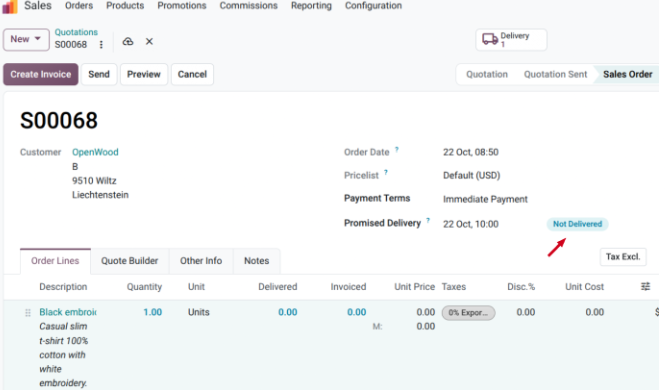
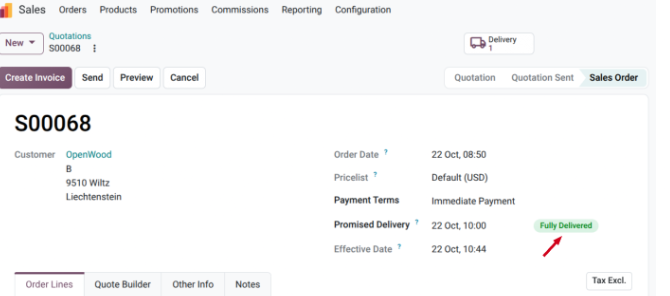
For simpler workflows, an order can also be marked as delivered directly from Sales, without switching to the Inventory app. That shortcut may suit teams whose delivery process does not require a detailed inventory workflow.
The walkthrough also shows a calendar view for daily rates. It can be used to apply price changes in bulk, such as a surcharge on selected dates or a discount on particular days. For businesses where timing affects the price, managing those changes in a calendar can make the schedule easier to review.
Capture Extras Without Rewriting the Original Order
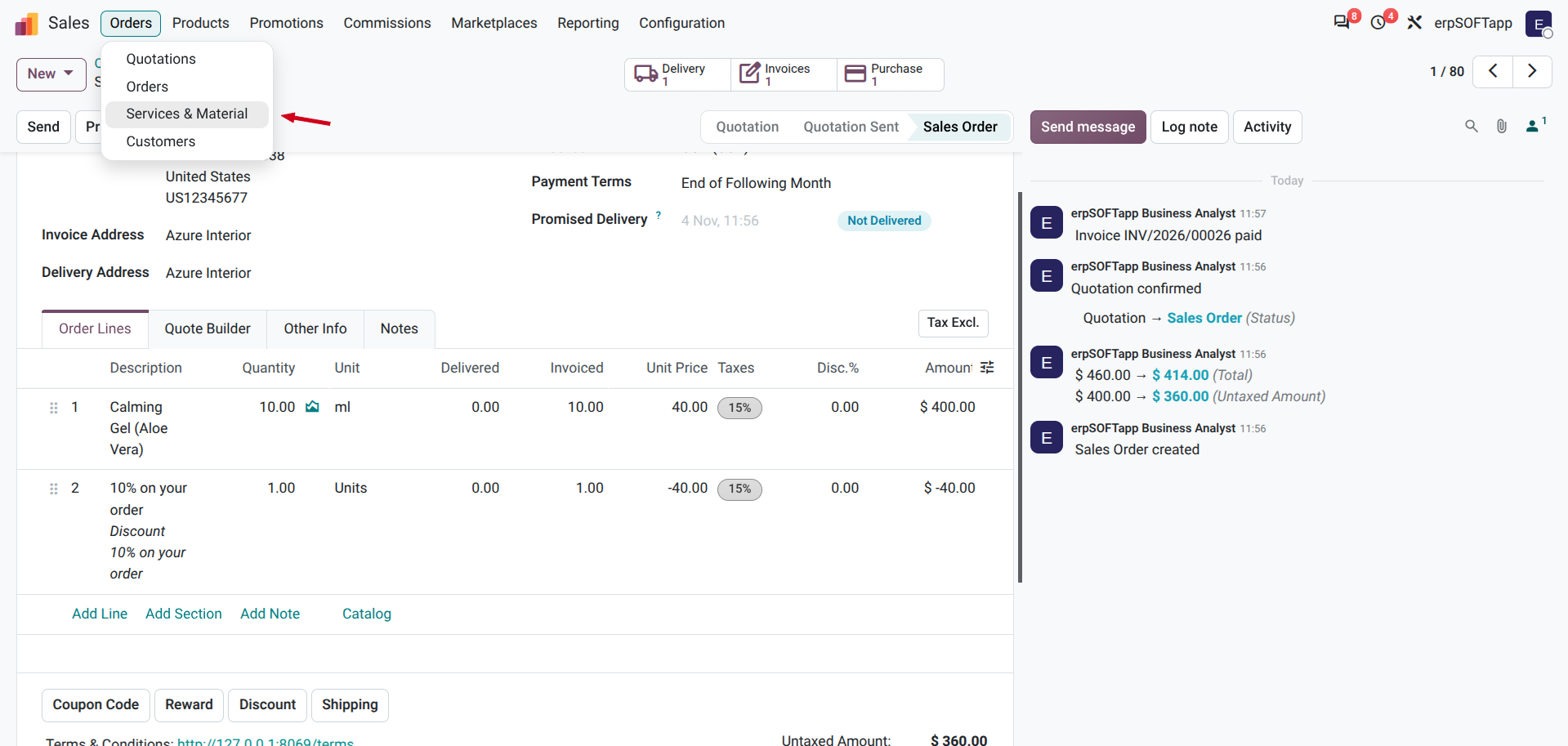
Projects rarely stay exactly within their original scope. The video introduces a “Services & Material” view for recording additional work or materials that were not included in the quotation. Examples include a site repair, extra meeting hours, or mileage. Those items can then be handled for invoicing without manually rebuilding the original order.
There is also an “Invoice Overages” option when creating an invoice. It helps bill quantities delivered beyond what was originally ordered. This gives teams a more straightforward way to account for extra quantities rather than leaving them out of the invoice or managing them through an improvised workaround.

A Practical Note on Products and Pricing
The video’s Q&A points to two useful distinctions. First, price lists remain the recommended tool for managing different prices across countries or customer segments. Second, an order created without specific products can still be invoiced, but it will not trigger the standard inventory flows associated with product-based orders.1
The video also mentions that the Sales module is designed to interface with AI—for example, to help create offers from emails or other activity—but that capability is not demonstrated in the walkthrough. It is best understood here as a direction for future or connected workflows, not as a feature the video proves is ready to use.
The Bigger Picture
The changes shown in the video are aimed at reducing friction across the sales cycle. Quotations can accommodate custom lines and more flexible deposits. Customers get a clearer view of the offer. Sales teams gain a central place to review order status. And extra work or delivered quantities have more direct paths into billing.
For teams considering an upgrade, the practical question is how these changes fit their existing process. Product-less quote lines may help with one-off work, while price lists remain better suited to structured pricing by market or customer. Likewise, marking an order delivered from Sales can save steps for a simple workflow, but teams with more complex fulfillment needs may still rely on Inventors.
Conclusion: Making the Sales Process More Flexible and Connected
The Odoo 20 Sales improvements focus on several practical challenges that sales teams face every day.
Businesses can prepare more flexible quotations, adjust costs and margins more directly, specify fixed deposits, and reuse quotation sections. Customers get a clearer view of offers through an improved portal, while sales teams gain better visibility into order performance and activities requiring attention.
For businesses delivering services or managing projects, the ability to capture additional work and materials and account for quantities delivered beyond the original order can also help connect sales activities with invoicing.
These changes are valuable because they address more than quotation creation. They support the activities that happen before and after a customer accepts an offer.
However, getting the most out of these features requires more than enabling new functionality. Businesses need to understand their sales processes, configure the right workflows, and ensure that Sales works properly with applications such as Inventory, Accounting, and Project.
At erpSOFTapp, we help businesses implement and optimise Odoo around their actual operational requirements. Whether you are considering an upgrade to Odoo 20 or looking to improve your existing sales process, our team can help you identify the right configuration and workflows for your business.
Ready to make more of Odoo? Speak with erpSOFTapp about your Odoo implementation and upgrade requirements.